¶ 🧭 OLT Index
The OLT Index screen centralizes the management of OLTs registered in the system, including bulk actions, manual registration, filters, and detailed visualization of the PON infrastructure.
¶ 🖼️ Screen Overview
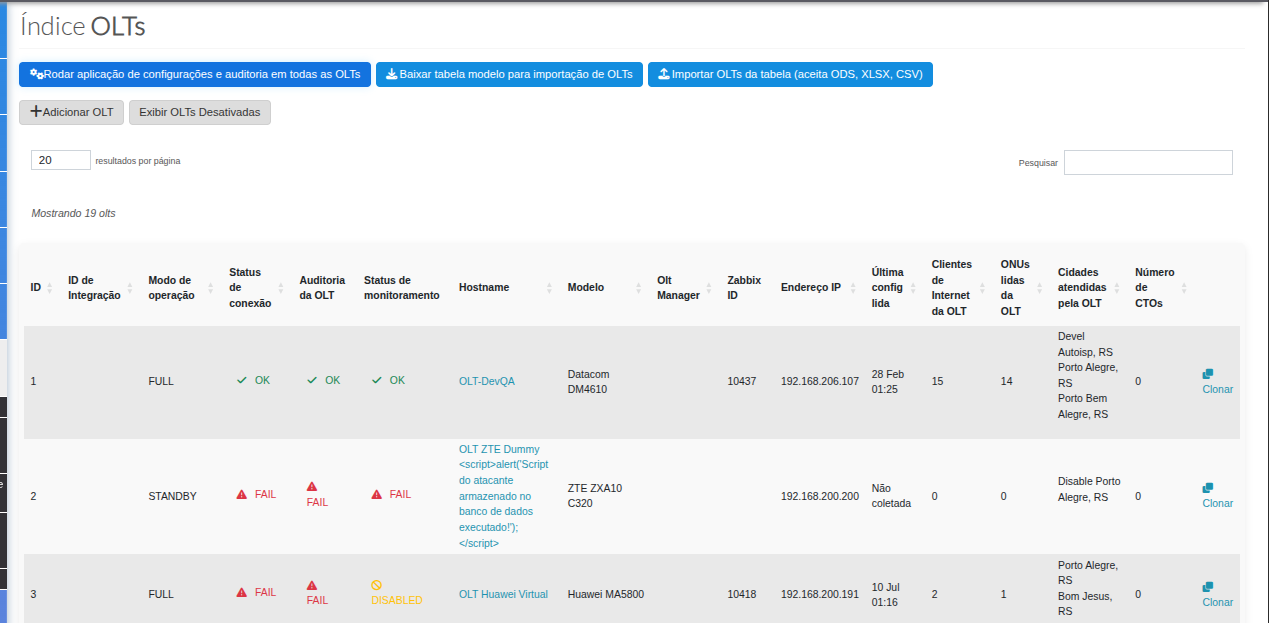
¶ 🚀 1️⃣ Bulk Actions (Top of the Screen)

| Action | Description | When to use |
|---|---|---|
| Run configuration and audit application on all OLTs | Executes audit and applies configurations in bulk across all registered OLTs. | After global changes or when a full reprocessing is required. |
| Download template table for OLT import | Downloads the standard spreadsheet for bulk OLT registration. | Initial deployment or large volume of equipment. |
| Import OLTs from table (ODS, XLSX, CSV) | Uploads the completed spreadsheet and performs automatic registration in the portal. | After filling out the standard template. |
¶ ➕ 2️⃣ Manual Registration and Filters
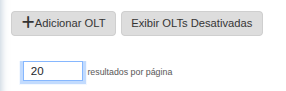
| Option | Description |
|---|---|
| Add OLT | Allows manual registration of a new OLT in the system. |
| Show Disabled OLTs | Displays only OLTs that are in disabled status. |
| Results per page | Allows switching between 20, 50 or 100 records per page. |
¶ 📊 3️⃣ OLT Listing

The table presents operational and integration information of the registered OLTs.
| Column | Description |
|---|---|
| ID | Internal OLT identifier. |
| Integration ID | Code used for external integrations. |
| Operation mode | Defines how the OLT operates in the system (e.g.: FULL / STANDBY / MONITORING / DEACTIVED). |
| Connection status | Indicates whether the OLT is communicating correctly. |
| OLT Audit | Result of the last audit performed. |
| Monitoring status | Status of the OLT monitoring. |
| Hostname | OLT identifier name. |
| Model | Manufacturer/model of the equipment. |
| OLT Manager | Manager linked to the OLT. |
| Zabbix ID | Identifier linked to the monitoring system. |
| IP Address | OLT management IP address. |
| Last configuration read | Date and time of the last configuration reading. |
| Internet Clients | Number of clients linked to the OLT. |
| ONUs read | Number of ONUs identified. |
| Cities served | Lists the served cities. |
| Number of FOTBs | Number of linked FOTBs. |
¶ ♻️ Action: Clone OLT
| Action | Description | When to use |
|---|---|---|
| Clone | Creates a new OLT using another already registered as a base model. | When multiple OLTs have similar configurations. |