¶ ⚡ Quick Actions
The Quick Actions area brings together essential tools for immediate ONU diagnostics, test execution, and maintenance.
These buttons speed up support activities by avoiding navigation between screens and allowing direct actions on the ONU/OLT.
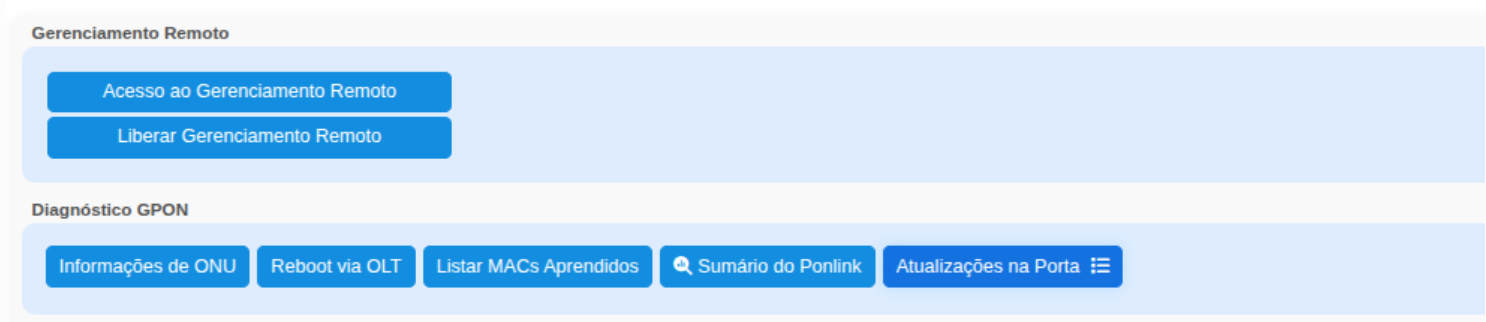
¶ 🛰️ Remote Management
The remote management buttons are displayed only when the ONU and OLT are from the same manufacturer (Huawei).
Currently, this feature is available only for Huawei ONTs due to the extended OMCI capabilities provided by this vendor.
¶ 🔵 Access Remote Management
Opens the ONU remote management interface to allow:
- Access to the ONU WEB/HTTP interface (if supported)
- LAN/WAN configuration adjustments
- Direct diagnostics on the customer's equipment
This access is temporary and controlled, ensuring security.
¶ 🔵 Enable Remote Management
Remotely enables the ONU WEB management interface for a limited period.
Once enabled, the technician can directly access the device interface without requiring physical access.
Used when:
- The customer cannot access the ONU
- Internal configurations need to be validated
- More detailed troubleshooting is required
¶ 🔧 PON Diagnostics
These buttons are used to quickly check the ONU status on the OLT and perform operational actions.
¶ 🔹 ONU Information
This button sends a command requesting an update of the information displayed in the information panel OLT Details.
¶ 🔹 Reboot via OLT
Performs a remote reboot of the ONU directly through the OLT.
Used in cases such as:
- ONU is unresponsive
- Intermittent issues
- Communication failure after a port change
- LAN instability
¶ 🔹 List Learned MACs
Displays all MAC addresses learned on the ONU port, allowing identification of:
- Internal network conflicts
- Connected routers
- ONUs operating in bridge mode
- Unexpected devices on the LAN port
A useful tool for identifying misconfigured internal networks.
¶ 🔹 🔍 Ponlink Summary
The Ponlink Summary provides a consolidated view of the active PON on a specific OLT, displaying the overall status of connected ONUs, their optical power levels, and performance statistics.
This screen is essential for optical monitoring, integration auditing, and identifying large-scale network events.
- Port in use
- ONU's current Ponlink
- Diagnostics
- Available operations
¶ 📝 Important Note
- The Remote Management buttons (Access and Enable) appear only when both the ONU and OLT are Huawei.
- Vendors such as Fiberhome, ZTE, Nokia, and Datacom do not support the same advanced OMCI features, which is why these buttons are not displayed.
¶ 🧩 Final Summary
The Quick Action buttons allow:
- Immediate ONU diagnostics
- Safe reboot execution
- Active MAC address lookup
- Quick access to key documentation
- Access to OLT-specific features
They are essential for speeding up support activities and reducing issue resolution time.