¶ 🔐 Automatic User Blocking by Inactivity
The Automatic User Blocking by Inactivity automation aims to ensure that accounts of terminated collaborators are automatically suspended, preventing security risks and unauthorized access.
It identifies users marked as OFF and performs the block after the configured number of days.
At the end of the process, everything is executed automatically, without requiring manual intervention from the team.
¶ 🧭 How to access the automation
To configure automatic blocking:
- Go to the menu: System → Automations
- Click Create
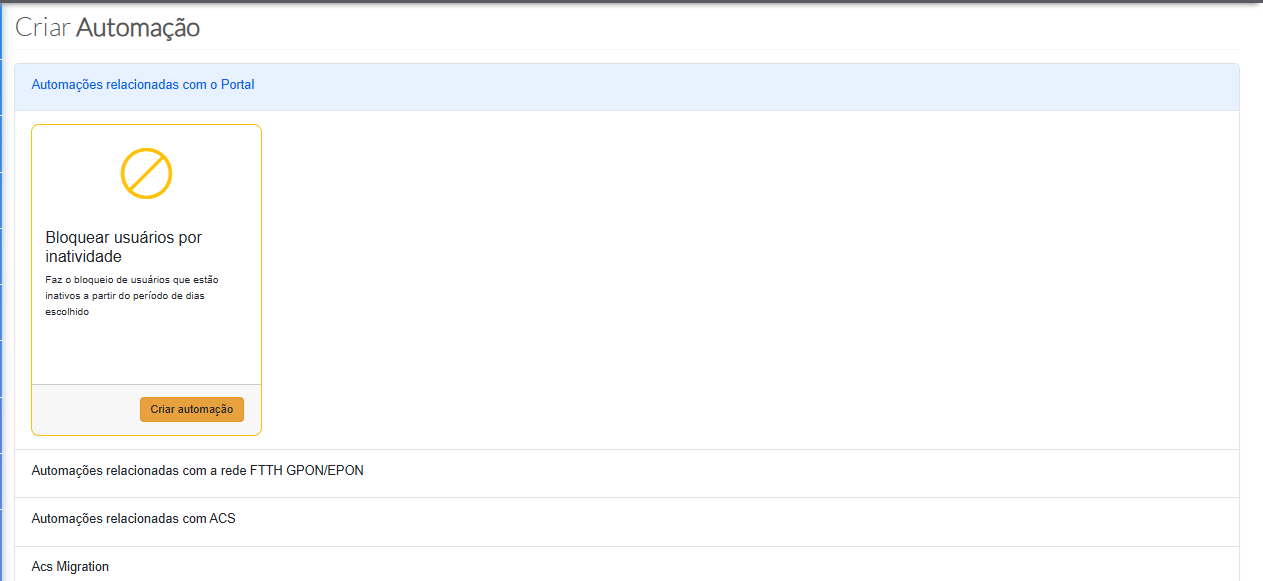
- In the displayed panel, select the first option:
🔧 Portal-related Automations - Then click Create Automation
¶ ⚙️ Automation Settings
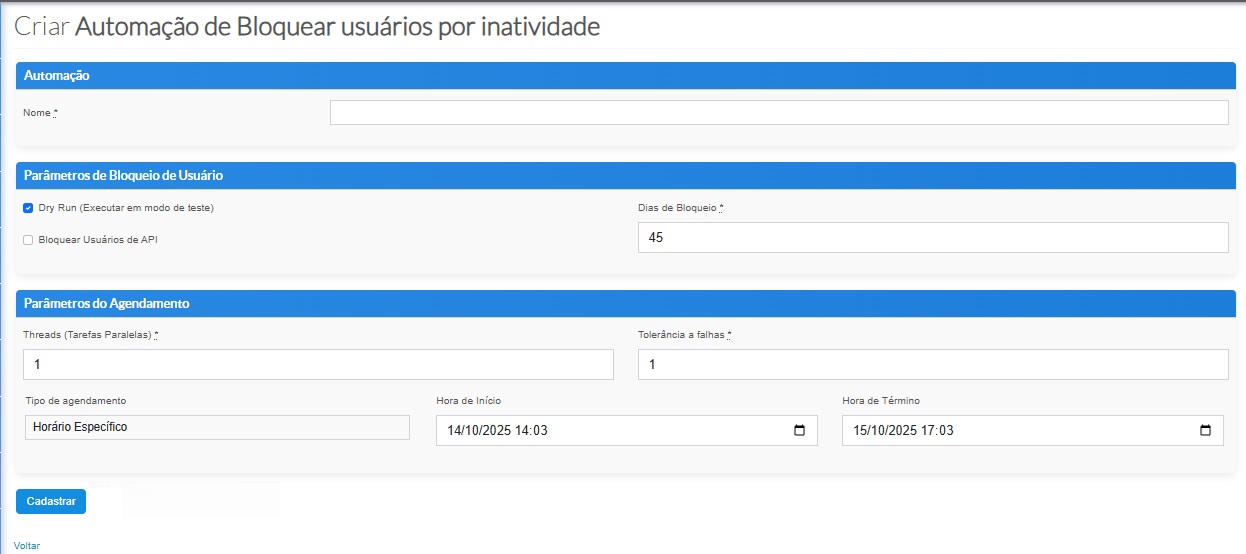
After clicking Create Automation, a new screen will open containing all parameterization options.
¶ 🏷️ Automation Name
- Enter the name of the automation to be created.
¶ 🔧 User Blocking Parameters
The parameters area defines how the automation will work:
¶ ✔️ Dry Run (test mode)
- Enabled by default.
- When active, no users are blocked.
- It only generates a report of which users would be blocked.
- To execute for real, simply uncheck the box.
¶ ⏳ Days to block
- Defines after how many days a user marked as OFF will be automatically blocked.
¶ 🤖 Include API users
- Allows choosing whether API users should also be considered by the automation.
¶ ⚡ Parallel threads
Defines how many threads the system may use simultaneously during execution:
| Scenario | Recommended amount |
|---|---|
| During daytime | Up to 10 threads (avoids excessive server load) |
| Overnight | Up to 40 threads (higher performance without risks) |
¶ ❗ Fault tolerance
- If this limit is reached, the automation is automatically aborted.
¶ 🕒 Execution schedule
You may choose:
- A specific date and time
- Or configure a CRON expression for recurring executions
¶ 💾 Finalizing
After reviewing all parameters, click Register to save and activate the blocking automation.
From this moment on, the process will run fully automatically according to your scheduling.