¶ 🗂️ FOTB Linking
The FOTB Linking automation allows automatic association of FOTBs based on data collected from the OLT and PONLINK, ensuring greater accuracy in network structure and organization within the Portal.
This routine is especially useful for providers structuring their optical network who need to keep FOTBs correctly linked to PON network ports.
¶ 🧭 How to access the automation
To start creating the automation:
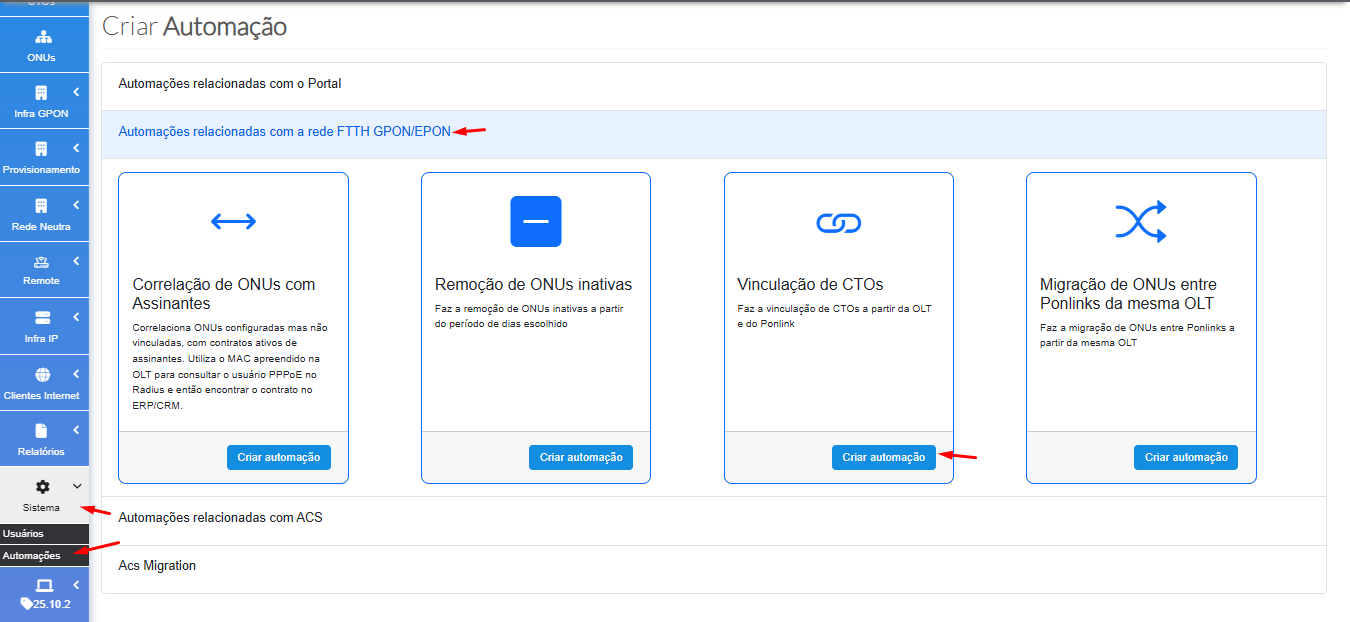
- Go to System → Automations
- Click Create
- Select the group FTTH PON Network Automations
- Click Create Automation
¶ ⚙️ Automation Settings
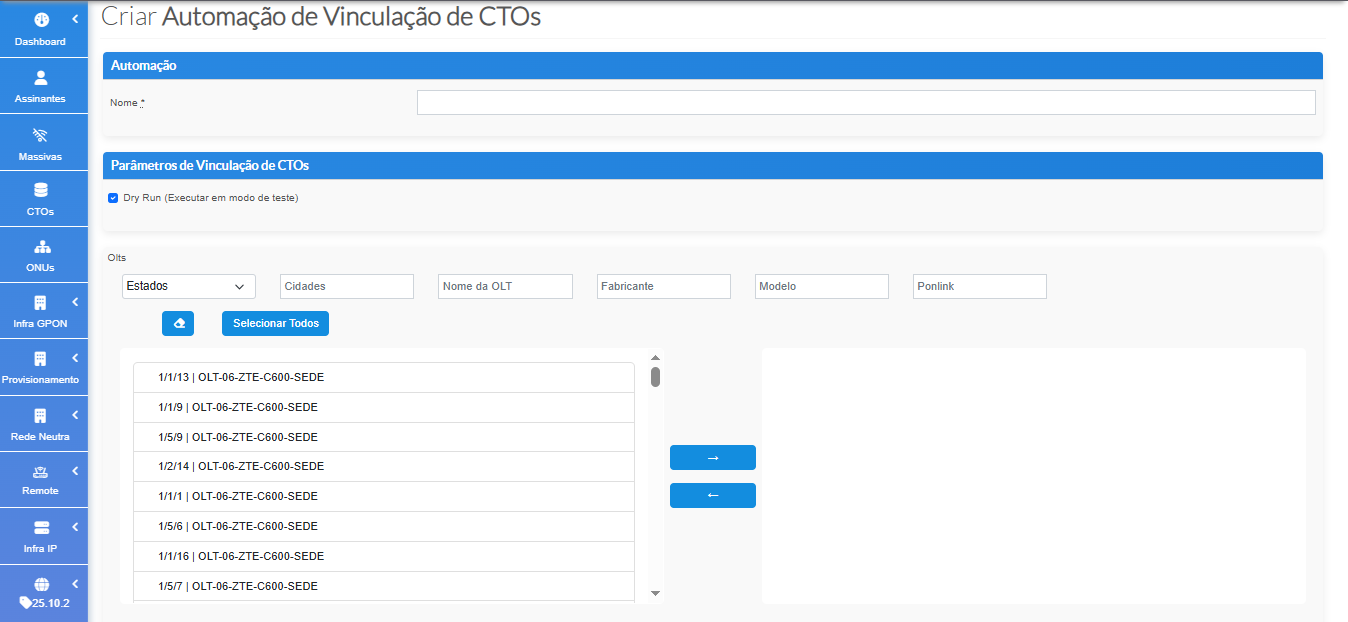
After clicking create, the automation parameter screen will be displayed.
¶ 🏷️ Automation Name
- Enter a clear and identifiable name.
- If not provided, the system automatically assigns a default name.
¶ 🧪 Dry Run Mode (test mode)
- Enabled by default.
- When active, no real linking is performed.
- The system only generates a report of what would be linked.
- To execute the automation effectively, uncheck the dryrun checkbox.
¶ 🛰️ OLT Selection
Select one or multiple OLTs that will participate in the automation:
- The left list shows all OLTs available in the network.
- Use the arrow to move the desired ones to the right panel.
- You may select as many as necessary.
¶ ⚡ Parallel Threads
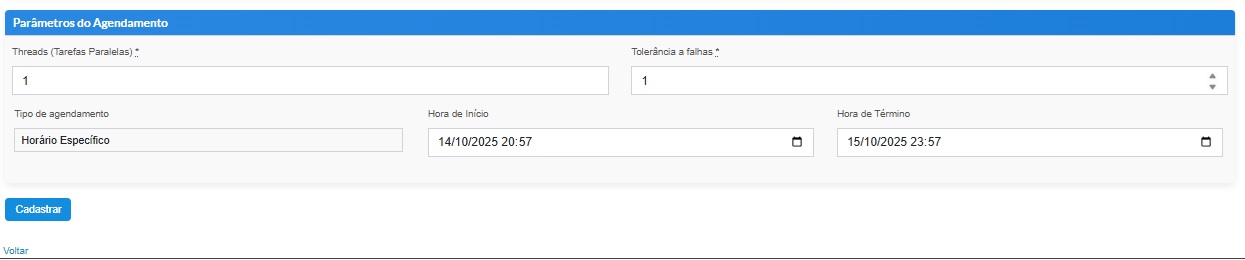
As with other automations, it is important to define how many threads will run simultaneously:
| Scenario | Recommended amount |
|---|---|
| During daytime | Up to 10 threads |
| Overnight | Up to 40 threads |
¶ ❗ Fault Tolerance
- Defines the maximum number of allowed errors.
- If exceeded, the automation is automatically stopped.
- This helps avoid inconsistent results or excessive load on OLTs.
¶ 🕒 Execution Scheduling
You may schedule the automation according to your needs:
- Choose a specific date and time
- Define recurring executions
- Use CRON expressions for advanced scheduling
After configuring everything, click Register to activate the automation.
¶ ✅ Finalization
Once registered, the automation can be executed manually or according to the configured schedule.
It ensures FOTBs are always correctly linked to the PON network structure, keeping the Portal updated and consistent with the physical and logical network environment.