¶ 👥 User Creation
This document describes the process of creating and managing users in the portal, allowing both creating users from scratch and cloning existing users, ensuring standardization and agility in permission configuration.
¶ 🧭 Accessing the Users Screen
User management is performed through the menu:
System → Users → Users Index
On this screen, it is possible to:
- Create new users
- Clone existing users
- Edit permissions
- Deactivate users
- View action audit logs
¶ ➕ Create a New User (from scratch)
¶ 1️⃣ Access user creation
On the Users Index screen, click the + Create button, as shown in the image below.
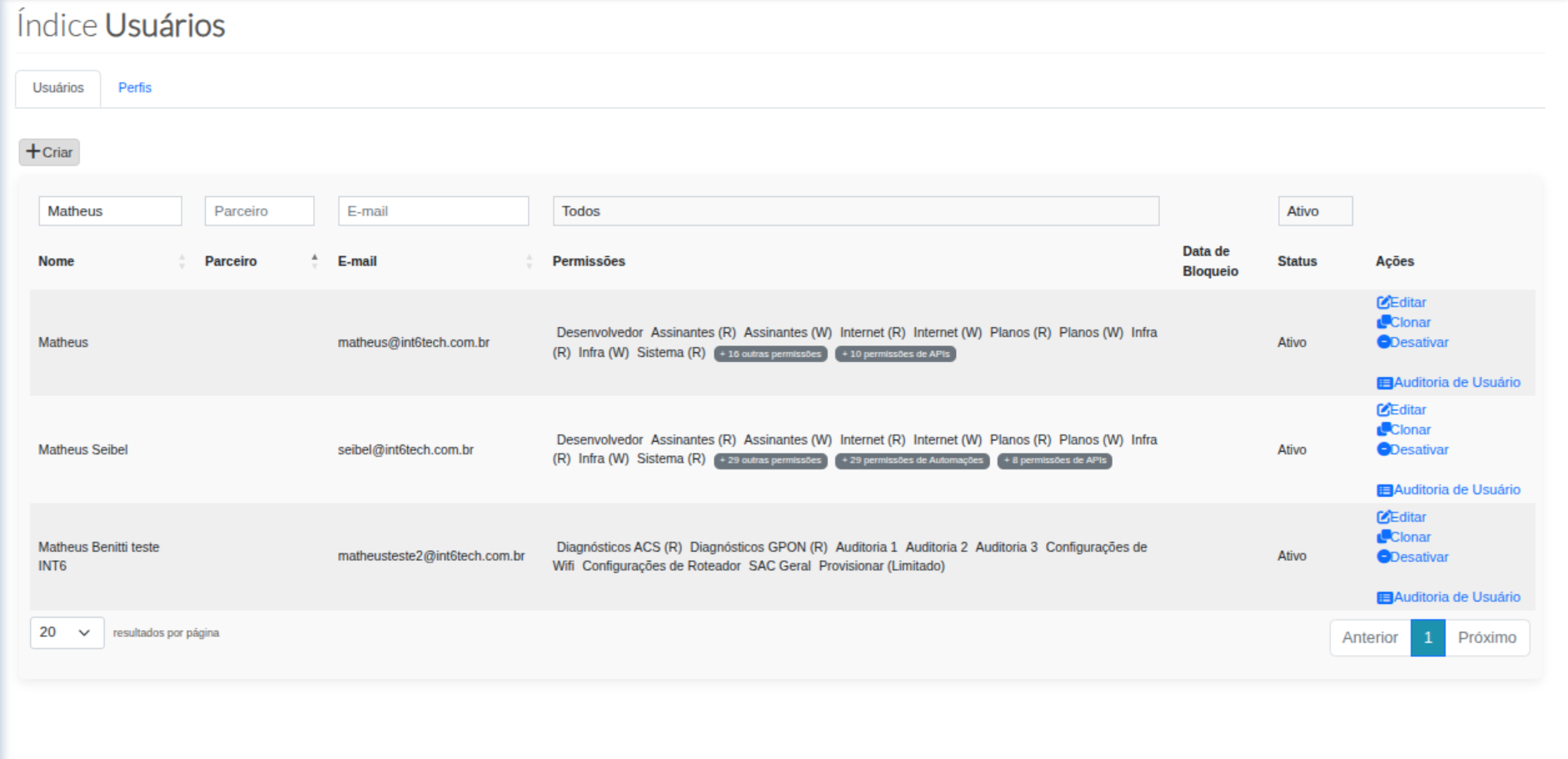
Image 1 — Users Index (+ Create button)
¶ 2️⃣ Fill in basic user data
After clicking + Create, the Create User screen will be displayed.
At this stage, fill in the following required fields:
- Name
- Partner
- Password
- Confirm password
It is also possible to associate User Profiles, if profiles are previously configured in the environment.
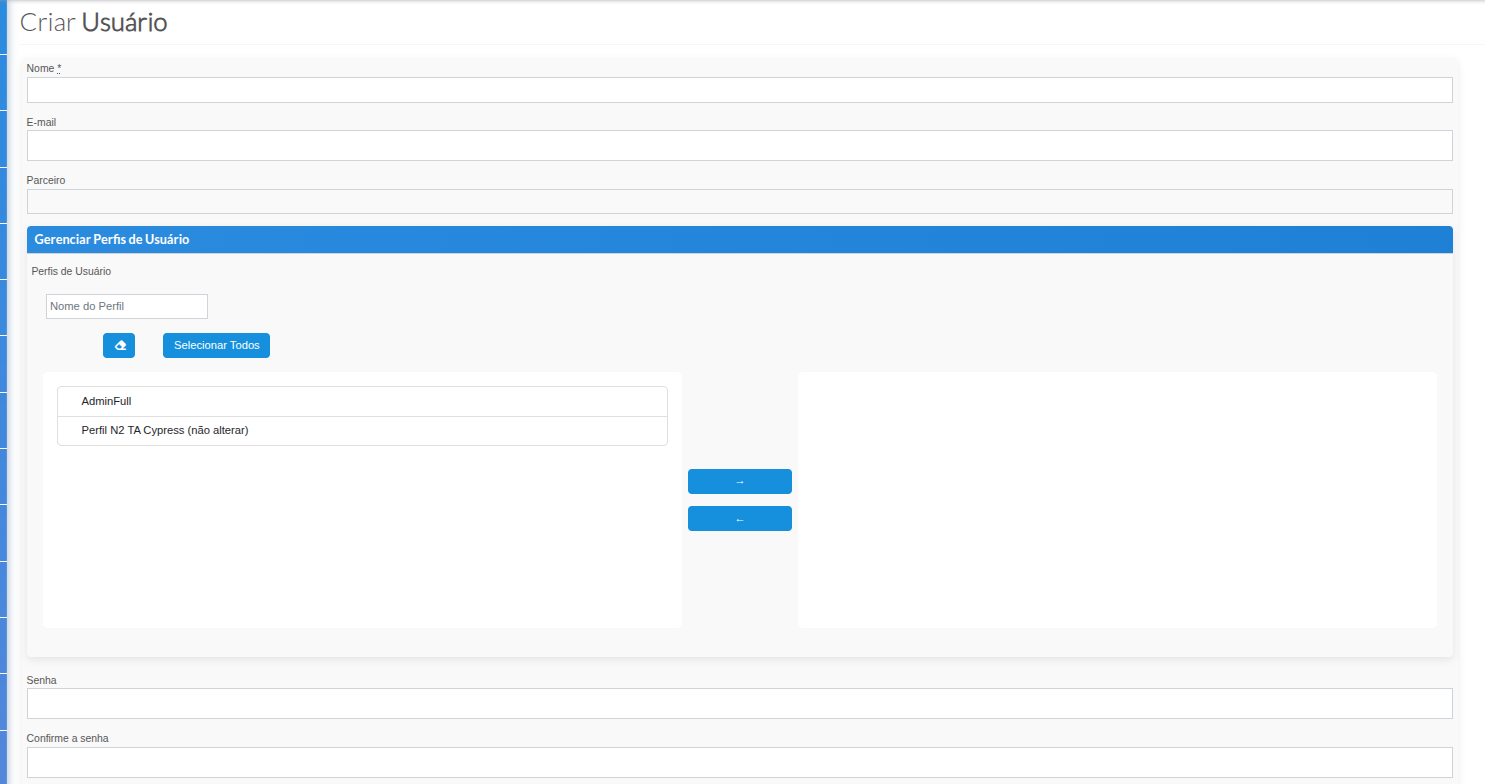
Image 2 — Create User Screen (basic data and profiles)
¶ 3️⃣ Define user permissions
In the Permissions section, it is possible to configure the user's access level by module.
Permissions are organized into two levels:
- List / View
- Create / Edit / Delete
It is also possible to define the access type:
- Application Only
- Portal + Application
Main configurable modules:
- Subscribers / Contracts / Subscribed Plans
- Plans
- Customer Support (General and Subscriber)
- Network Infrastructure
- ACS Parameters
- System / Users
- Orphan ACS
- GPON Scripts
- CTO Sanitization
- Dashboards
- Ponlink Summary
- Integration Logs
- Automations
- API Users
- Custom Reports
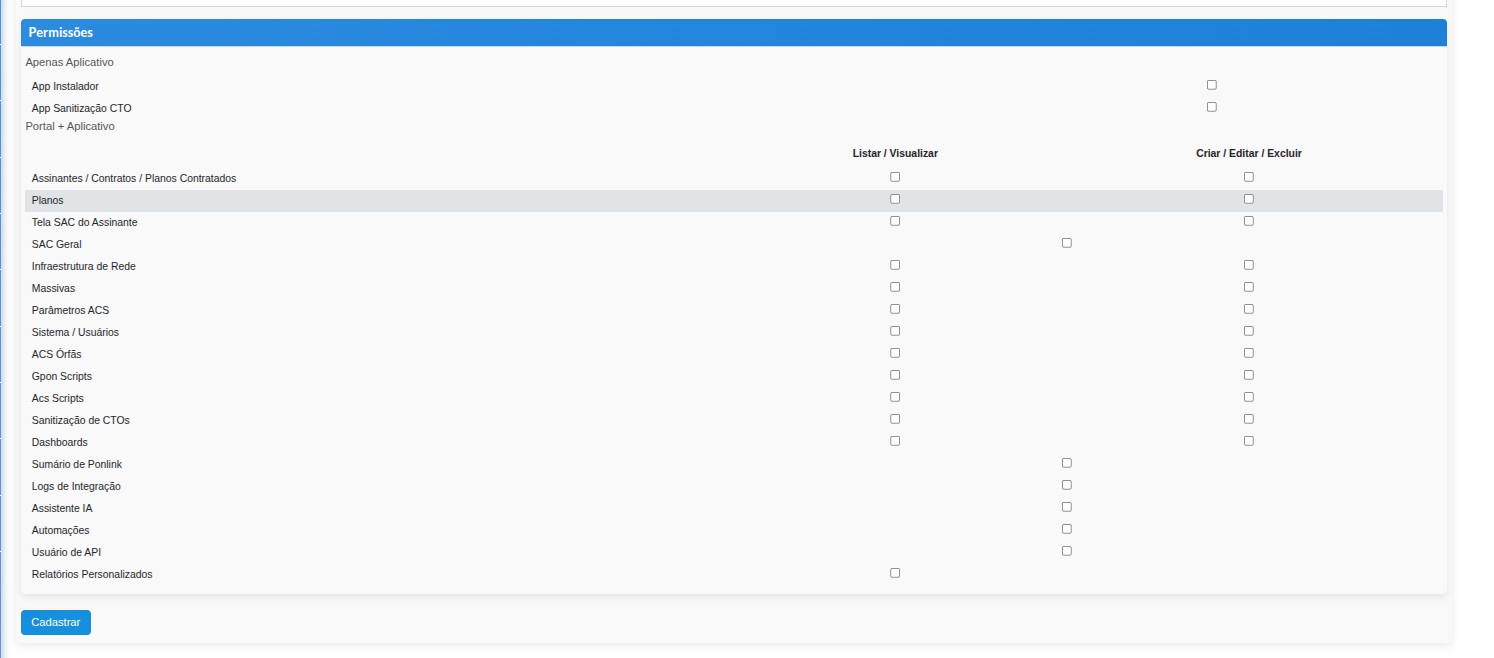
Image 3 — User Permissions Screen
¶ 4️⃣ Complete registration
After reviewing all fields and permissions, click Register to complete the user creation.
¶ 🧬 Create User by Cloning (recommended)
User cloning is recommended when creating a new access with the same permissions as an existing user, ensuring standardization and reducing configuration errors.
¶ 🔁 How to perform cloning
On the Users Index screen, locate the user that will be used as a reference and click the Clone action, as indicated below.
¶ ✍️ Required fields in cloning
When creating a user by cloning, only the following fields need to be filled:
- Name
- Password
- Confirm password
🔁 All other data is automatically copied from the source user, including:
- User profiles
- Module permissions
- Access type (Portal / Application)
¶ ✅ Best Practices
- ✔ Prioritize user cloning to maintain permission standardization
- ✔ Use names and emails that clearly identify the user’s role
- ✔ Review sensitive permissions, especially:
- System / Users
- ACS Parameters
- API Users