¶ Install Instructions Diagnostic
This guide provides the necessary steps to diagnose and resolve issues encountered during the application installation process. It focuses on Install Instructions log analysis and identifying common failures in the app provisioning.
¶ Where to find the Install Instructions logs
You can access the full history of provisioning processes in the Installation Log tab, located under the Activation section.
For a complete overview of what each column means and the types of installation flows available, please refer to the Installation Log documentation.
¶ How to Interpret the Logs
The main log table displays a list of all installation attempts. Each row represents a unique provisioning request initiated by a technician.
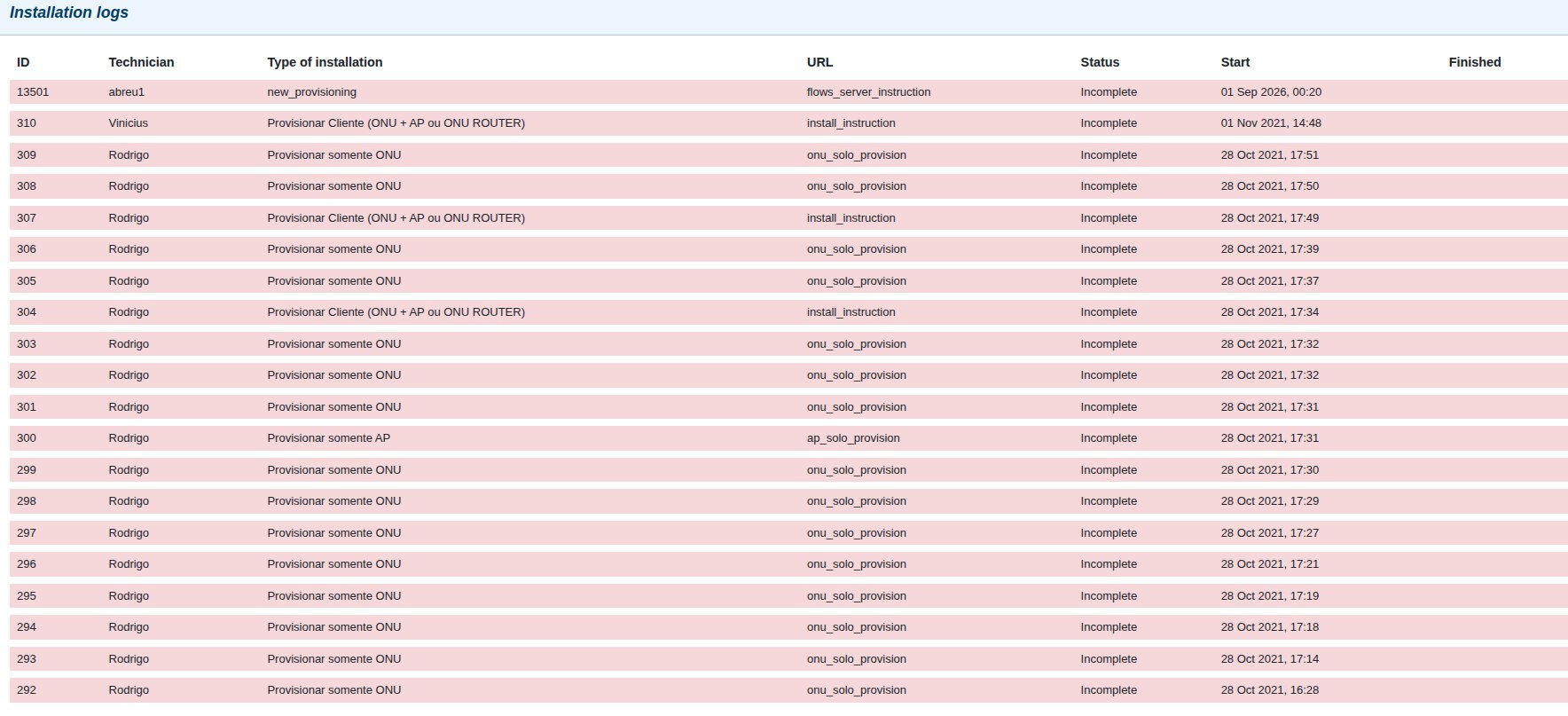
¶ 1. Expanding the Steps
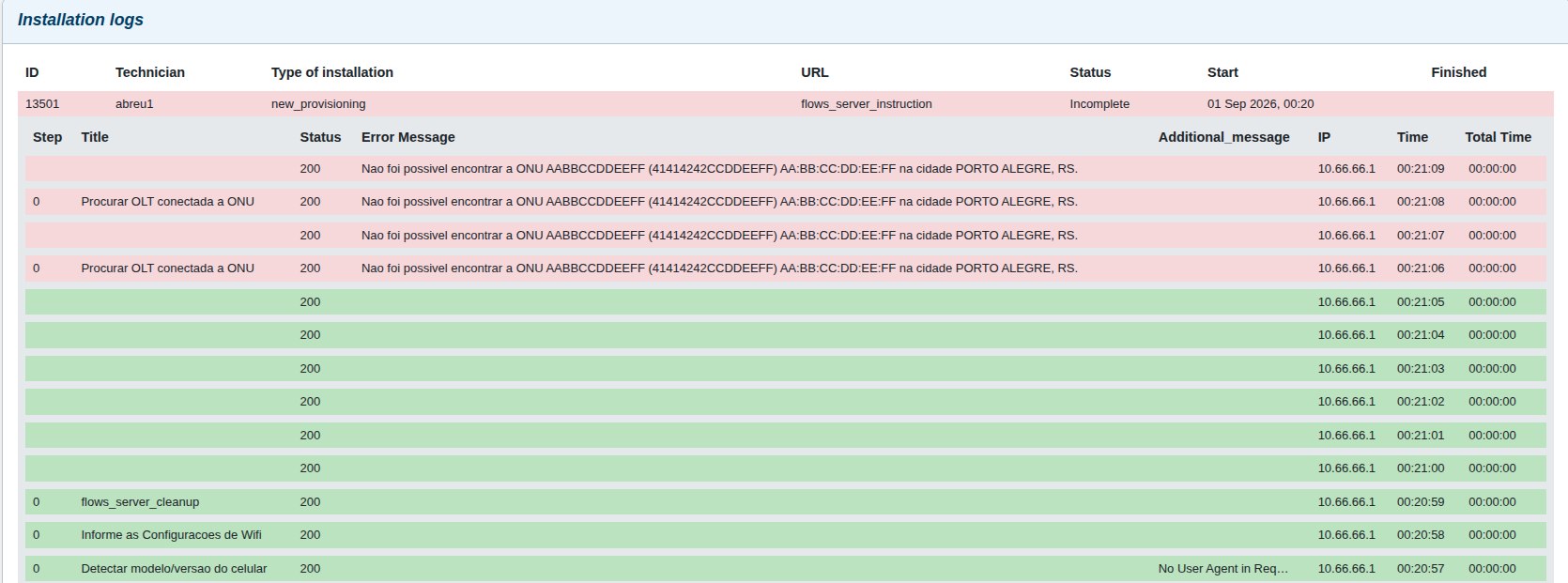
If you want to investigate a specific installation (for example, one with an Incomplete status), click on its row.
This expands the log to reveal the chronological sequence of steps executed during that flow. You can easily identify which steps succeeded (highlighted in green) and exactly where the process halted or failed (highlighted in red).
 !
!
¶ 2. Analyzing Step Details (Request and Response)
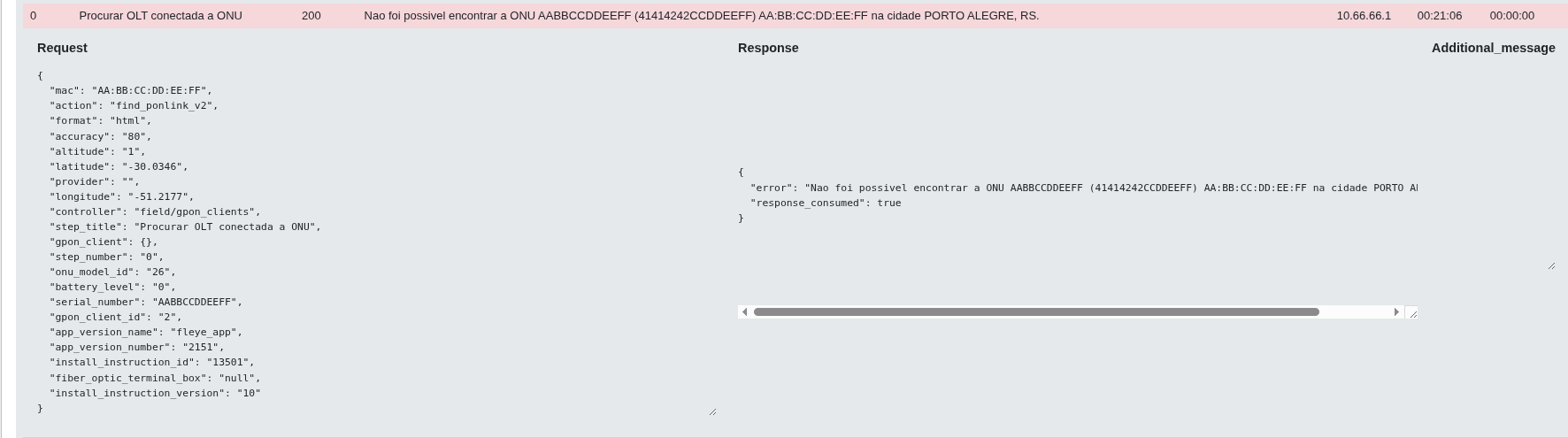
For an even deeper diagnosis, you can click on any individual step. This will display the raw data exchanged during that action, showing the Request (the parameters the app sent) and the Response (what the server or integration returned).
Example Scenario: Diagnosing an API Error
Let's look at a practical example where an installation failed during the step Procurar OLT conectada a ONU (Search for OLT connected to ONU). By clicking on this failed step, we can see the exact communication:
Request Payload (Sent by the APP):
{
  "mac": "AA:BB:CC:DD:EE:FF",
  "action": "find_ponlink_v2",
  "format": "html",
  "accuracy": "80",
  "altitude": "1",
  "latitude": "-30.0346",
  "provider": "",
  "longitude": "-51.2177",
  "controller": "field/gpon_clients",
  "step_title": "Procurar OLT conectada a ONU",
  "gpon_client": {},
  "step_number": "0",
  "onu_model_id": "26",
  "battery_level": "0",
  "serial_number": "AABBCCDDEEFF",
  "gpon_client_id": "2",
  "app_version_name": "fleye_app",
  "app_version_number": "2151",
  "install_instruction_id": "13501",
  "fiber_optic_terminal_box": "null",
  "install_instruction_version": "10"
}
Response Payload (Returned by the Server):
{
  "error": "Nao foi possivel encontrar a ONU AABBCCDDEEFF (41414242CCDDEEFF) AA:BB:CC:DD:EE:FF na cidade PORTO ALEGRE, RS.\n",
  "response_consumed": true
}
Diagnostic Conclusion
By analyzing these details, we know exactly which step failed and why. In this specific case, the response clearly indicates that the API could not find the ONU the technician was trying to provision.
This proves that this is not a bug in the mobile application. Instead, the specific API is failing to locate the equipment in the network. With this information, the technical support team can stop troubleshooting the app and immediately focus on the integration, the OLT data, or verifying if the physical equipment is properly connected.